


Alienware AW2726DM 27 inch QHD 240Hz QD OLED Gaming Monitor
Alienware AW2726DM 27 inch QHD 240Hz QD OLED Gaming Monitor
Low stock: 3 left
People are watching right now.
Paylater is only available for transactions upto ₹ 2000.
Couldn't load pickup availability
Pick up from Micro Center India
Same-day order before 1:30 PM
Courier Delivery
Delivered to your specified address


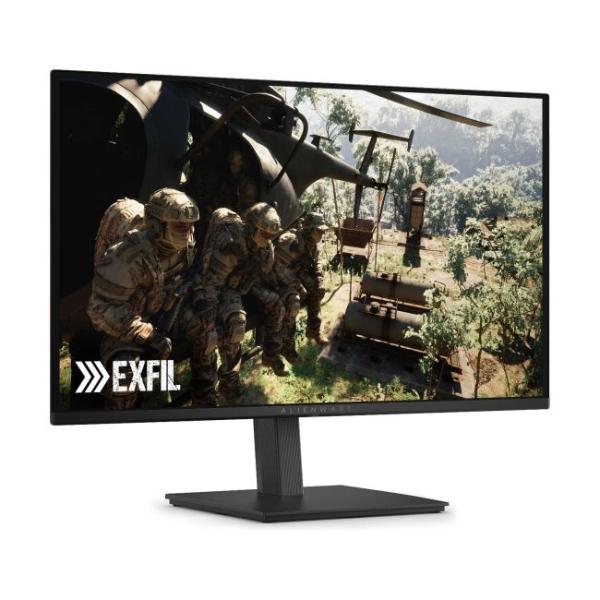
The Alienware QD-OLED that brought per pixel black levels within reach of a normal build budget. Aimed at competitive and single player PC gamers who want OLED response and contrast without paying flagship money: 2560 x 1440 at 240Hz, 0.03ms grey to grey, 99 percent DCI-P3 and a 1,500,000:1 dynamic contrast ratio. A fully adjustable stand and a 3 year warranty that specifically covers OLED burn in.
QD-OLED response and contrast
Every pixel on a QD-OLED panel makes its own light, so black is genuinely black and there is no backlight glow around bright objects. Dell rates the panel at 1,500,000:1 dynamic contrast and a 0.03ms grey to grey response, which is roughly a hundred times faster than a good IPS gaming panel.
In practice that means almost no smearing behind moving objects, clean text on scrolling backgrounds, and night scenes that hold shadow detail instead of turning grey.
240Hz with full sync support
The panel runs at 240Hz, and carries AMD FreeSync Premium along with VESA AdaptiveSync, so frame rates that move around stay tear free and stutter free.
Colour coverage is 99 percent of DCI-P3 across 1.07 billion colours, which is wide enough for HDR gaming and for colour work in a pinch.
Inputs and what each one does
DisplayPort 1.4 is the port for a PC: 2560 x 1440 at 240Hz with HDR, DSC and AdaptiveSync, both HDCP 1.4 and 2.3.
The two HDMI 2.1 inputs run 2560 x 1440 at 120Hz with HDR and VRR, which matches what a PlayStation 5 and an Xbox Series X output. Both a DisplayPort and an HDMI cable are supplied.
Stand, mounting and warranty
The stand does everything: 130 mm of height, tilt from minus 5 to 21 degrees, 360 degree swivel and 90 degree pivot each way into portrait. Remove it and the rear takes a standard 100 x 100 mm VESA plate.
India cover is a 3 year limited warranty with 3 year Advanced Exchange Service, Premium Panel Exchange and a specific 3 year OLED burn in provision.
Before you buy
- There are no built in speakers and no USB ports at all, so this is a pure display. No hub, no USB-C, no laptop charging.
- 240Hz needs the DisplayPort 1.4 input. The HDMI 2.1 ports on this model are capped at 2560 x 1440 at 120Hz, so an HDMI only setup will not reach the headline refresh rate.
- At 200 nits typical and 400 nits peak this is not a bright room panel. OLED contrast makes it look excellent in controlled light and washed out with sun on the screen.
- Dell states HDR support without naming a DisplayHDR certification level for this model, so treat HDR as a feature rather than a measured standard.
- OLED panels can retain static images. Leave the panel care and pixel refresh features switched on, and avoid leaving a fixed taskbar or HUD on screen at full brightness for hours.
In the box: Alienware AW2726DM monitor, Stand, Power cable, DisplayPort to DisplayPort cable, 1.80 m, HDMI cable, 1.80 m, Allen key, 4 M4 x 10 screws, QR card with setup information, Safety and regulatory information
