


Samsung Essential Monitor G3 G31H 24 Inch Full HD 144Hz Gaming Monitor
Samsung Essential Monitor G3 G31H 24 Inch Full HD 144Hz Gaming Monitor
Out of stock
People are watching right now.
Paylater is only available for transactions upto ₹ 2000.
Couldn't load pickup availability
We don't share your information with others.
Pick up from Micro Center India
Same-day order before 1:30 PM
Courier Delivery
Delivered to your specified address


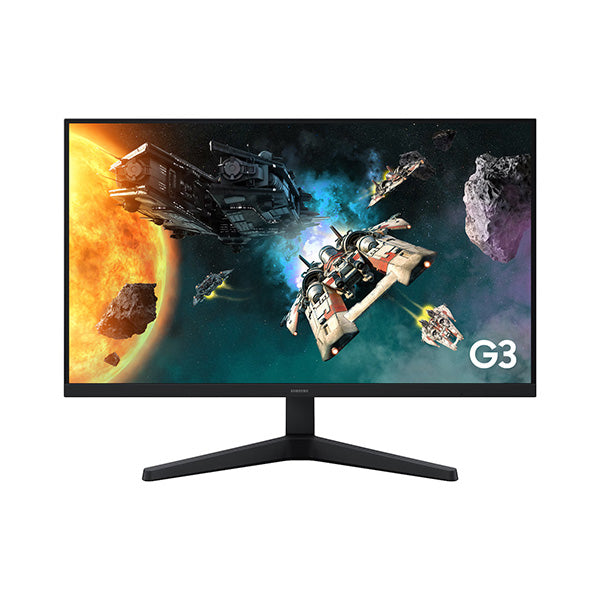
The Samsung Essential Monitor G3 G31H is a 24 inch Full HD gaming monitor with an IPS panel, a 144Hz refresh rate and AMD FreeSync support. It is built for smooth gameplay and everyday PC work at an entry level price.
Smooth motion for fast games
The 144Hz refresh rate gives smoother motion than a standard 60Hz screen when your PC and settings support it. The 1 ms MPRT rating keeps fast action clearer during play.
- 144Hz refresh rate for smooth motion in supported games and applications.
- 1 ms MPRT motion picture response time for improved motion clarity.
- AMD FreeSync to help reduce screen tearing with compatible AMD graphics cards.
- Gaming tools: Game Mode, Black Equalizer, Virtual Aim Point and Refresh Rate Optimizer.
IPS colours and wide viewing angles
The IPS panel keeps the picture consistent when you view it from the side, which suits shared desks and multi-person viewing. The 95 percent sRGB coverage gives lively colours for games, films and browsing.
- 178 degree viewing angle, horizontal and vertical
- Up to 16.7 million colours
- Typical brightness of 250 cd/m2
- Static contrast ratio of 1000:1
Comfort for long sessions
Eye Saver Mode and Flicker Free technology are built in to support comfortable viewing during long study, office or gaming sessions.
- Eye Saver Mode reduces blue light output.
- Flicker Free minimises screen flicker.
- Eco Saving Plus and Off Timer Plus help reduce power use.
- Auto Source Switch moves to the active input automatically.
Connections and desk fit
The monitor has one DisplayPort 1.4 and one HDMI 2.0 port for a PC, console or laptop, plus a headphone output. HDCP 2.2 is supported over both DisplayPort and HDMI.
The simple black stand tilts for comfortable viewing, and the 100 x 100 mm VESA pattern lets you use a monitor arm or wall mount for a different height.
Before you buy
- The stand tilts only. It has no height adjustment and no swivel, so use a monitor arm if the screen sits too low or high for your desk.
- There are no built-in speakers and no USB-C port. Laptops that connect only over USB-C will need an adapter, and sound needs headphones or external speakers.
- The monitor does not support HDR, and its 250 cd/m2 brightness is modest for a room with bright windows.
- The 1 ms rating is an MPRT motion clarity figure, not a grey-to-grey response time, so it is not directly comparable with other 1 ms ratings.
- This is a Full HD panel, not QHD or 4K. A DisplayPort cable is not in the box, and 144Hz needs a suitable cable and the right settings on the PC.
In the box: Monitor, External power adapter, HDMI cable, Documentation
