


XP Pen Deco 01 V2 Pen Tablet
XP Pen Deco 01 V2 Pen Tablet
Out of stock
People are watching right now.
Paylater is only available for transactions upto ₹ 2000.
Couldn't load pickup availability
We don't share your information with others.
Pick up from Micro Center India
Same-day order before 1:30 PM
Courier Delivery
Delivered to your specified address


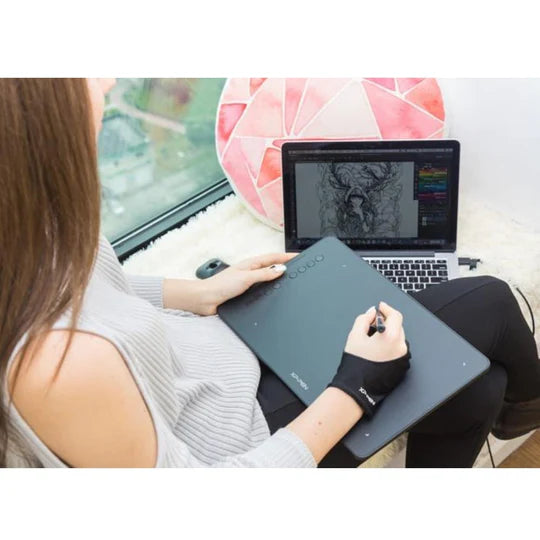
XP Pen Deco 01 V2 Pen Tablet is an essential work-from-home tool, that helps users in conducting meetings and presentations.
The XP Pen Deco 01 V2 Pen Tablet is designed to offer a seamless digital drawing experience for artists, designers, and creators of all levels. With its spacious 10 x 6.25-inch active area, this XP Pen Deco 01 V2 pen tablet gives you ample space to express your creativity without any constraints, allowing your ideas to flow naturally. Its ultra-slim, lightweight design makes it highly portable, so you can take it wherever your creativity leads.
Equipped with 8192 levels of pressure sensitivity, the XP Pen Deco 01 V2 graphic tablet ensures each line you draw feels smooth and natural, capturing every stroke's depth and nuance with remarkable accuracy. The tablet supports up to 60 degrees of tilt functionality, making shading more fluid and realistic. The Deco 01 V2 graphic tablet also includes a responsive, battery-free stylus that doesn’t require charging, providing a continuous and reliable drawing experience.
Eight customizable shortcut keys on the XP Pen Deco 01 V2 add another layer of efficiency, allowing you to tailor shortcuts to your most-used tools and commands for quicker access. This XP Pen Deco 01 V2 pen tablet is compatible with major operating systems like Windows, Mac, and Android, making it versatile for any setup. Whether you’re using it for graphic design, digital art, or photo editing, it works seamlessly with popular creative software such as Photoshop, Illustrator, and Clip Studio Paint.
Incorporating both innovation and functionality, the XP Pen Deco 01 V2 graphic tablet meets the needs of professionals and beginners alike, offering a smooth and intuitive drawing experience.
Sketch, paint, design, and edit photos on your tablet. A unit powerful enough to help you take your ideas even further.
Ideal for your web conferencing or distance learning.
Simultaneous digital inking with an XP Pen graphics tablet compatible with Microsoft Office apps like Word, PowerPoint, OneNote and more. Visually present your handwritten notes and signatures precisely – ideal for your web conferencing or online teaching needs.
Engage, inspire, and immerse students and attendees like never before.
Teachers and speakers can create and explain interactive content visually by writing, editing, and annotating directly in files and sharing their screen in real time while streaming, broadcasting, or web conferencing. This flexibility allows the flow of creative ideas and the problem-solving process to be presented intuitively and efficiently.
Get started →
Enhance your Chromebook experience
You can now use Chrome OS on your XPPen Deco 01 V2, allowing you to write and create digitally effortlessly. You can then share and collaborate with teachers and classmates, creating an interactive class atmosphere even in a virtual learning environment. The stylus offers the functionality of a standard mouse, meaning that you can write, edit, draw and navigate on your Chromebook with ease.
Compatible with most Operating Systems and applications.
Compatible with Windows 7 (or later), Linux (Detailed versions), Mac OS X 10.10 (or later), Android 6.0 (or later), and Chrome OS 88 (or later). Also compatible with many major designer software such as Photoshop®, SAI®, Painter®, Illustrator®, Clip Studio®, and more.
* Please update your Chrome OS to 88.0.4324.109 first.
Specifications will be updated soon.
FAQs will be updated soon.
